
 Deutsch
 Español
 Français
 lingua italiana
 ไทย
ไทย Tiếng Việt
 العربية
 한국어
한국어 Pусский

Customizing the stickers of a vending machine can be a fun and creative process. It involves designing visuals that not only attract attention but also effectively communicate the products or messages you want to convey. Here's a step-by-step guide on how to customize vending machine stickers:
1. Understand Your Brand and Message:
Identify the core message you want to convey through your vending machine. Consider your brand identity, values, and the type of products you are selling.
Identify the core message you want to convey through your vending machine. Consider your brand identity, values, and the type of products you are selling.
2. Determine the Purpose:
Decide whether the stickers are primarily for branding, product promotion, or conveying information about the items in the machine.
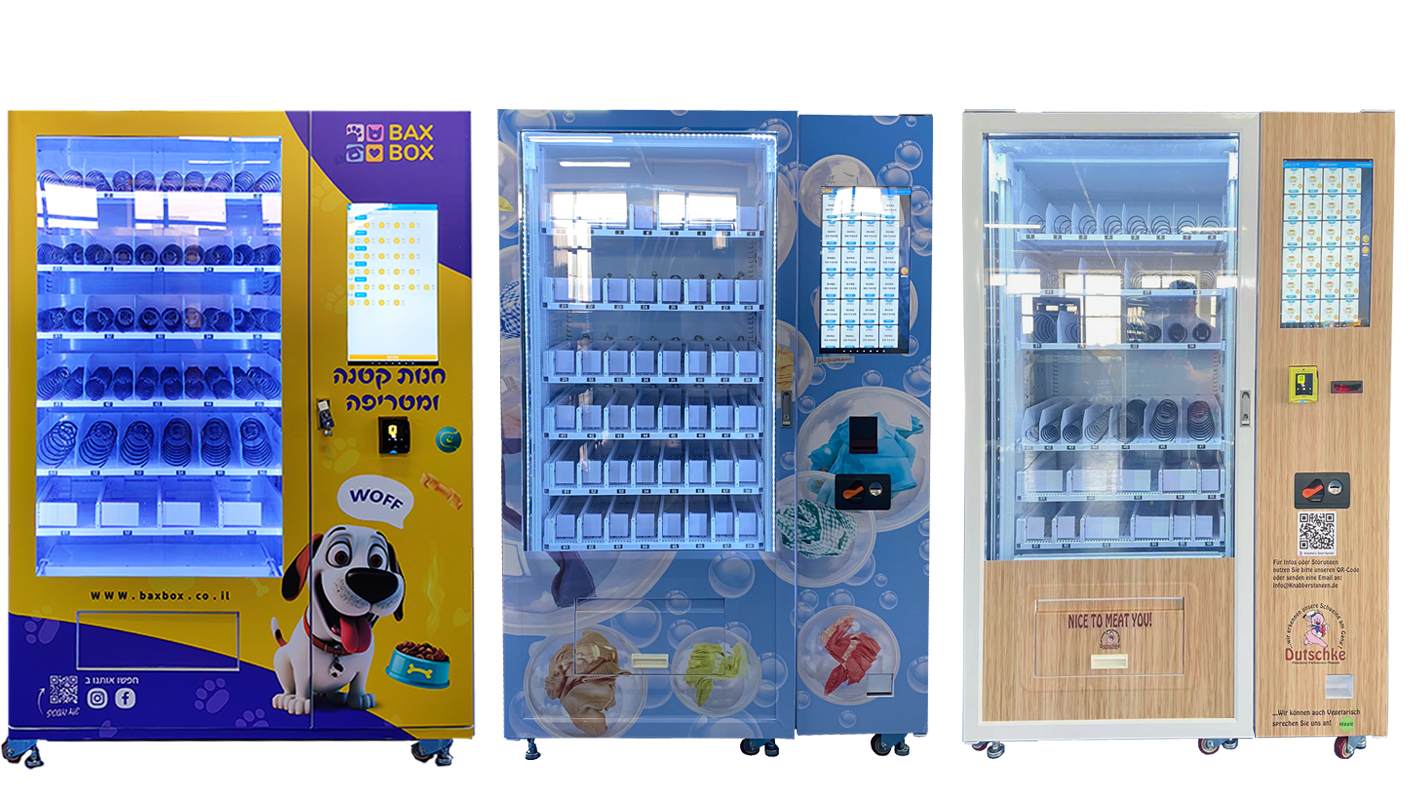
3. Gather Necessary Information:
Collect all essential information such as product names, prices, nutritional information, and any other details that need to be displayed on the stickers.
Collect all essential information such as product names, prices, nutritional information, and any other details that need to be displayed on the stickers.
4. Size and Dimensions:
Measure the dimensions of the vending machine surface where the stickers will be applied. Ensure that your designs fit these dimensions properly.
Measure the dimensions of the vending machine surface where the stickers will be applied. Ensure that your designs fit these dimensions properly.

5. Design Software:
Use graphic design software like Adobe Illustrator, Photoshop, or any other design tool you are comfortable with to create your sticker designs.
Use graphic design software like Adobe Illustrator, Photoshop, or any other design tool you are comfortable with to create your sticker designs.

6. Design Elements:
Incorporate your brand colors, logo, and any other visual elements that represent your brand. Use high-quality images and graphics.
Incorporate your brand colors, logo, and any other visual elements that represent your brand. Use high-quality images and graphics.
7. Product Imagery:
Include clear and attractive images of the products you are selling. Make them appetizing and appealing to potential customers.
Include clear and attractive images of the products you are selling. Make them appetizing and appealing to potential customers.
8. Typography:
Choose legible fonts for text. Ensure that important information like product names and prices are easy to read from a distance.
Choose legible fonts for text. Ensure that important information like product names and prices are easy to read from a distance.
9. Promotions and Call-to-Action:
If you are running promotions or special offers, highlight them on the stickers. Add a clear call-to-action to encourage customers to make a purchase.
If you are running promotions or special offers, highlight them on the stickers. Add a clear call-to-action to encourage customers to make a purchase.
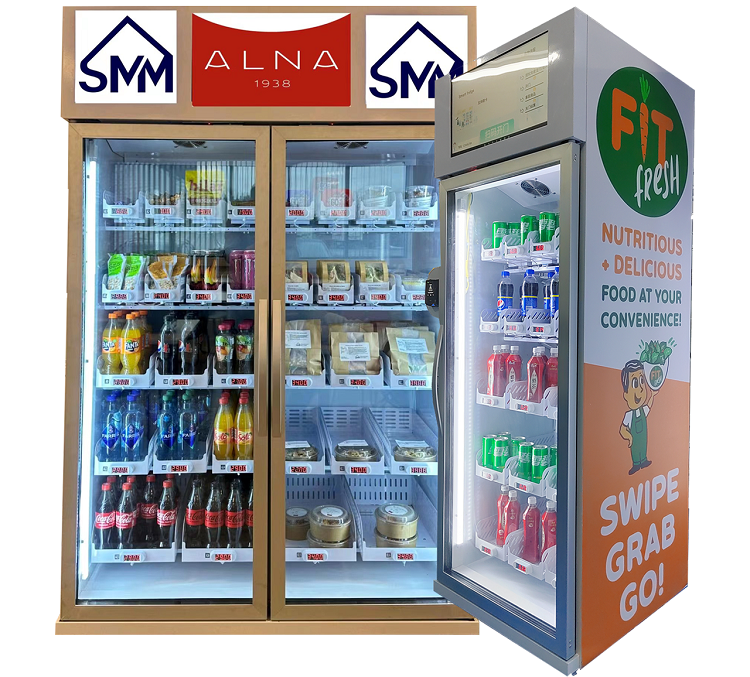
10. Compliance:
Ensure that your designs comply with any legal or industry standards, especially when it comes to displaying nutritional information or pricing.
Ensure that your designs comply with any legal or industry standards, especially when it comes to displaying nutritional information or pricing.
11. Test Prints:
Before printing a large batch, do test prints to check the colors, clarity, and overall quality of the design. Adjust as needed.
Before printing a large batch, do test prints to check the colors, clarity, and overall quality of the design. Adjust as needed.
12. Printing:
Choose a reputable printing service that can provide high-quality prints. Consider weather-resistant and durable materials if the vending machine is outdoors.
Choose a reputable printing service that can provide high-quality prints. Consider weather-resistant and durable materials if the vending machine is outdoors.
13. Application:
Clean the vending machine surface thoroughly before applying the stickers. Ensure that the surface is dry for better adhesion.
Clean the vending machine surface thoroughly before applying the stickers. Ensure that the surface is dry for better adhesion.
14. Maintenance:
Regularly inspect and replace stickers as needed. Weather conditions and heavy use may affect the longevity of the stickers.
Ideas for Design:
Regularly inspect and replace stickers as needed. Weather conditions and heavy use may affect the longevity of the stickers.
Ideas for Design:
Colorful and Vibrant Themes:
Use bright and energetic colors to attract attention.
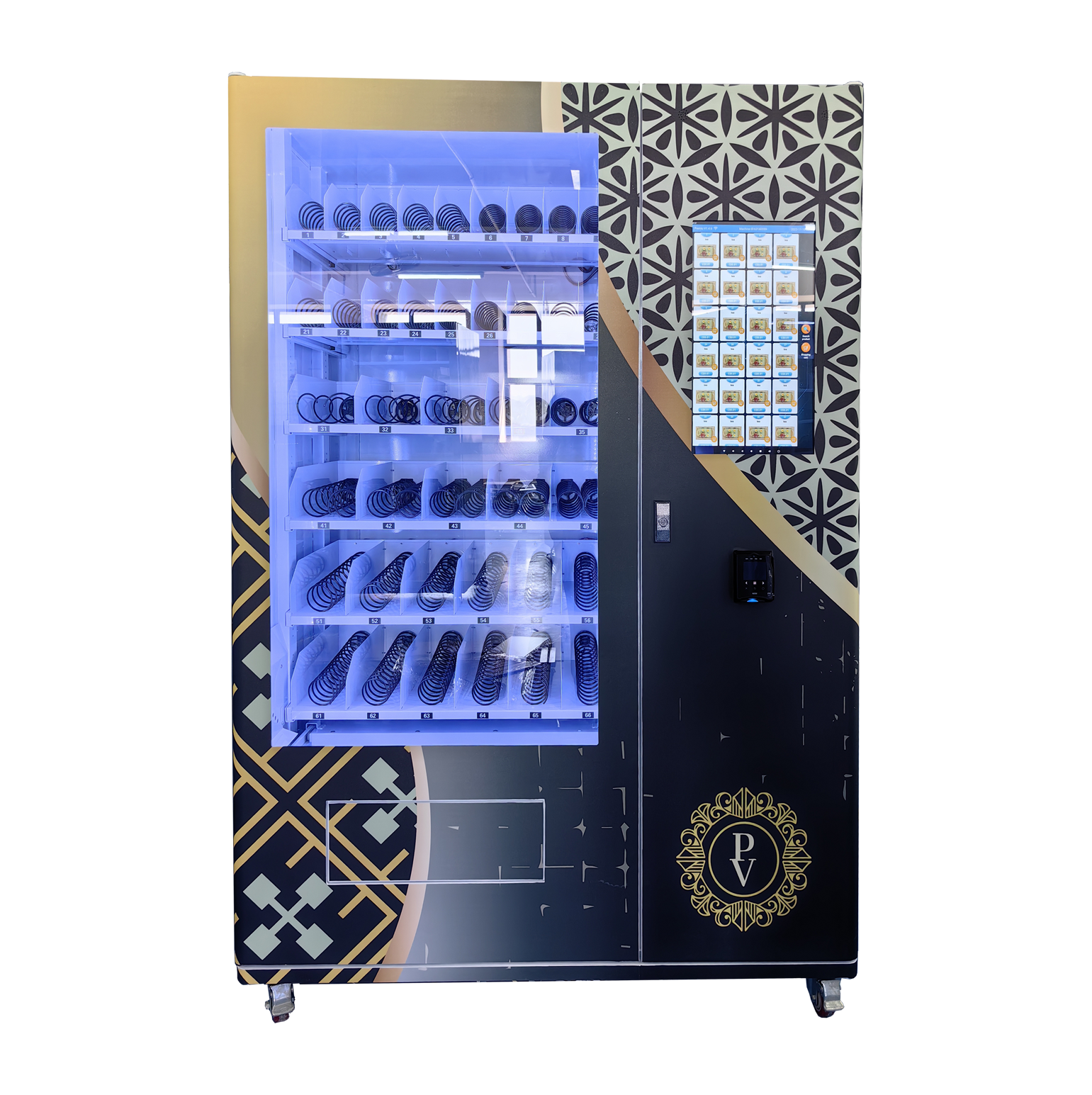
Minimalistic Design:
Keep it simple with clean lines and minimalistic graphics for a modern look.
Seasonal Themes:
Update stickers with seasonal themes or promotions to keep things fresh.
QR Codes:
Include QR codes that link to your website or promotional content for additional engagement.
Interactive Design:
Create stickers that invite interaction, like scratch-off promotions or hidden messages.
Humorous or Quirky Elements:
Add a touch of humor or quirkiness to make your vending machine stand out.
Remember, the design should align with your brand, be visually appealing, and effectively communicate the information customers need. Regularly update the stickers to keep your vending machine fresh and interesting.


